


Download ProCon Latte – Safe Family Browsing, Content Filter for Firefox
Overview – Why ProCon Latte Is the Ultimate Family‑Friendly Filter
In today’s hyper‑connected world, the internet offers endless learning opportunities, but it also hides a sea of content that parents and guardians would rather keep out of a child’s reach. ProCon Latte steps in as a lightweight yet powerful Firefox add‑on designed to protect families without sacrificing the freedom to explore the web. Unlike traditional parental‑control tools that sit on a separate device or require a bulky subscription, ProCon Latte lives quietly in the browser’s toolbar, turning green when a site is deemed safe and flashing yellow when it suspects questionable material. A single click on the icon opens a clean, intuitive configuration menu where you can fine‑tune the filter to match your family’s values.
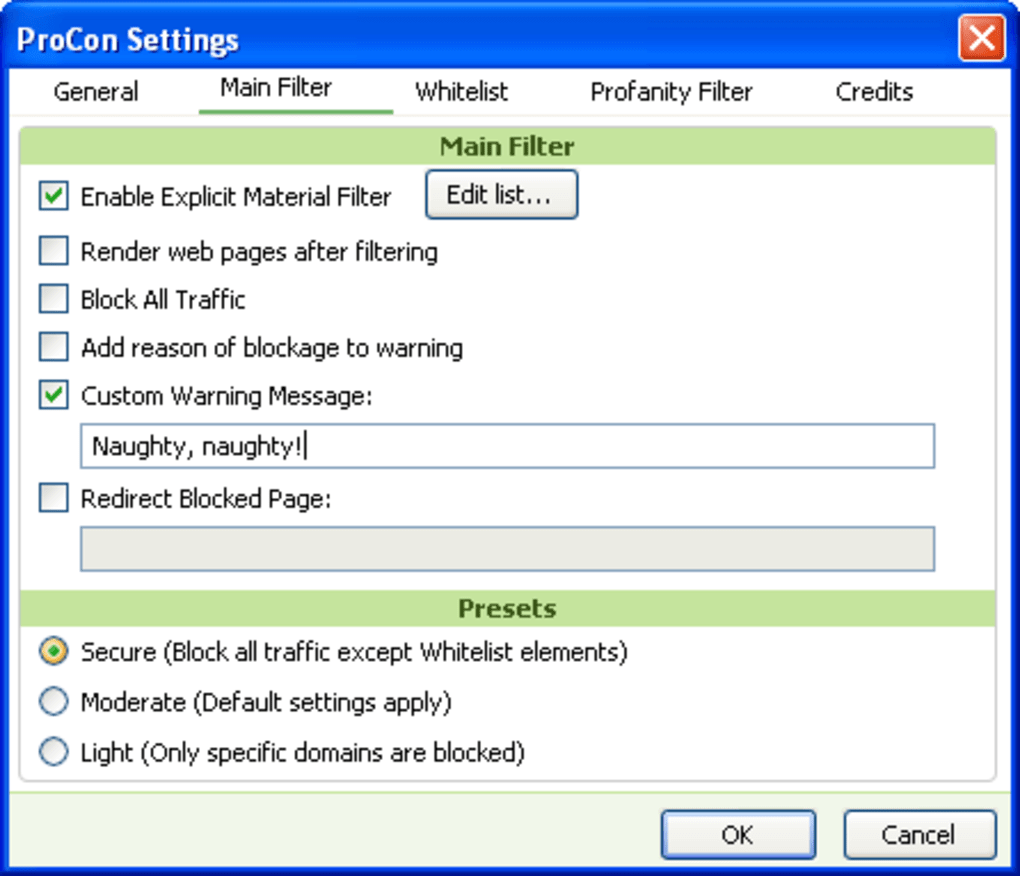
The standout feature of ProCon Latte is its granular customization. Not only can you block conventional categories such as “adult,” “violence,” or “gambling,” but you can also add specific keywords, URLs, or entire domains that you consider off‑limits. The add‑on even lets you replace profane words with your own substitutes and display a personalized message whenever a blocked page is attempted. To prevent tech‑savvy kids from bypassing the filter, you can lock the settings behind a password, ensuring that only the designated guardian can make changes. With automatic updates, a small footprint, and seamless integration with Firefox, ProCon Latte provides a secure, family‑first browsing experience that adapts to the evolving needs of any household.
Features & Customization – What Makes ProCon Latte Stand Out
- Real‑time Site Classification: Green indicator for safe sites, yellow warning for potentially unsafe content.
- Category‑Based Blocking: Pre‑defined filters for adult content, violence, gambling, and more.
- Keyword & URL Whitelisting/Blacklisting: Add or remove specific words, phrases, or domains to tailor protection.
- Profanity Replacement Engine: Substitute offensive words with custom text or emojis of your choice.
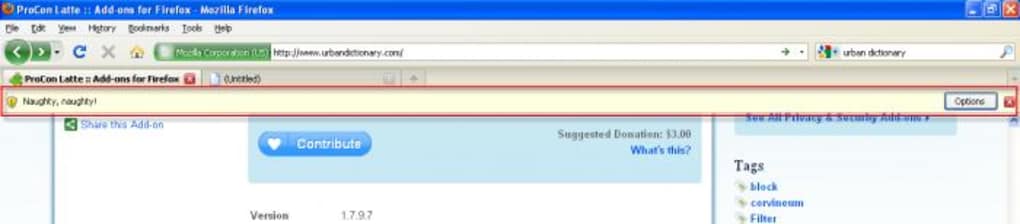
- Custom Block Messages: Display a personalized alert or educational note when a user hits a blocked page.
- Password‑Protected Settings: Secure the configuration menu so only authorized adults can modify filters.
- Automatic Updates: Stay current with the latest threat lists without manual intervention.
- Low Resource Consumption: Minimal impact on browser performance and system memory.
- Cross‑Platform Firefox Support: Works on Windows, macOS, Linux, and Firefox for Android.
- Export/Import Profiles: Transfer your filter settings between devices or share with other guardians.
ProCon Latte’s flexibility is further enhanced by its “sandbox” mode, which allows you to test new filter rules on a temporary basis before committing them permanently. This feature is especially useful for parents who want to experiment with stricter controls during school holidays or for specific events, then revert to a more relaxed setting later. Additionally, the add‑on logs each blocked attempt, giving you insight into the types of content your child is trying to access. These logs can be reviewed in a clean, chronological table, helping you start meaningful conversations about internet safety.
All of these capabilities are packed into an easy‑to‑navigate interface that follows Firefox’s design language, making the learning curve virtually nonexistent for both tech‑savvy and less‑experienced users. Whether you’re a single parent looking for a quick solution or a school IT administrator needing a scalable filter, ProCon Latte offers a robust set of tools that can be tailored to any environment.
Installation, Usage & Compatibility – Getting ProCon Latte Up and Running
Step‑by‑Step Installation
- Open Firefox and navigate to the ProCon Latte add‑on page.
- Click the “Add to Firefox” button and confirm the permission prompt.
- After the download completes, Firefox will automatically install the add‑on and place its icon in the toolbar.
- Refresh any open tabs to activate the filter.
Once installed, the icon appears as a small coffee cup. Its color indicates the safety status of the current page. Clicking the cup opens the configuration menu where you can set up categories, keywords, and password protection.
Using the Configuration Menu
The menu is divided into three tabs: Filters, Customization, and Security. In the Filters tab you can enable or disable pre‑set categories and add custom URLs. The Customization tab lets you define profanity replacements and edit the block message that appears to users. Finally, the Security tab is where you create a strong password to lock the settings. All changes are saved instantly, and the add‑on updates its status indicator in real time.
Compatibility (itemprop="operatingSystem")
ProCon Latte is built for the Firefox browser, which runs on the following operating systems:
- Windows 10, 11 (64‑bit)
- macOS 12 Monterey and later
- Linux distributions with Firefox support (Ubuntu, Fedora, Debian, etc.)
- Firefox for Android (requires Android 8.0 Oreo or newer)
Because the add‑on is browser‑based, there is no separate installation for iOS; however, Safari users can benefit from a similar experience by using the Firefox iOS app, which supports the same add‑on ecosystem.
System requirements are modest: a minimum of 2 GB RAM, a modern processor, and at least 50 MB of free disk space for the add‑on files and logs. The lightweight design ensures that even older machines can run ProCon Latte without noticeable slowdowns.
Pros, Cons, FAQ & Conclusion – Should You Download ProCon Latte?
Pros
- Highly customizable filters let you block specific words, URLs, or whole categories.
- Password‑protected settings prevent children from disabling the filter.
- Lightweight and fast; no noticeable impact on browser performance.
- Works across major operating systems via Firefox.
- Automatic updates keep threat lists current.
- Export/Import feature simplifies deployment on multiple devices.
Cons
- Only available as a Firefox add‑on; users of Chrome, Edge, or Safari need a different solution.
- Advanced configuration may be overwhelming for non‑technical parents at first glance.
- Blocking is limited to browser activity; it does not control other applications.
Frequently Asked Questions (FAQ)
Can ProCon Latte block video streaming sites?
Yes. You can add the domains of popular streaming services (e.g., YouTube, Netflix) to the blacklist, or rely on the built‑in category filter for “Adult/Violent Content” which often includes mature streaming channels.
Is the password stored securely?
The password is hashed locally within Firefox’s storage, meaning it is never transmitted over the internet and cannot be read in plain text.
How does ProCon Latte handle false positives?
If a safe site is mistakenly flagged, you can add it to the “Whitelist” directly from the block message screen, instantly removing it from future restrictions.
Does the add‑on affect browsing speed?
Because ProCon Latte runs locally within the browser, the impact on page load times is negligible. Users with very old hardware may notice a split‑second delay on highly dynamic pages, but most modern systems experience no slowdown.
Can I export my filter settings to another computer?
Absolutely. The “Export Profile” button creates a JSON file containing all your rules, which can be imported on any other Firefox installation running ProCon Latte.
Conclusion & Call to Action
ProCon Latte delivers a balanced mix of security, flexibility, and ease of use that makes it an excellent choice for families who want to keep the web safe without imposing heavy-handed restrictions. Its real‑time indicator, robust keyword engine, and password‑protected settings give parents confidence that they can stay a step ahead of curious kids. While it’s limited to Firefox, the browser’s cross‑platform reach ensures that most households can adopt the tool with little hassle.
If you’re ready to give your children a safer browsing environment while retaining control over what they see, download ProCon Latte today. The free version provides all core features, and an optional premium upgrade adds advanced analytics and priority support. Protect your family’s online experience with a tool that’s as adaptable as it is reliable.







